02: Job with Parameters
In this module, you will learn two core enterprise concepts:
- Modular Architecture: Separating DAB configurations into dedicated resource folders (
jobs/,pipelines/, etc.). - Dynamic Workflows: Defining job parameters and passing them into a PySpark script at runtime.
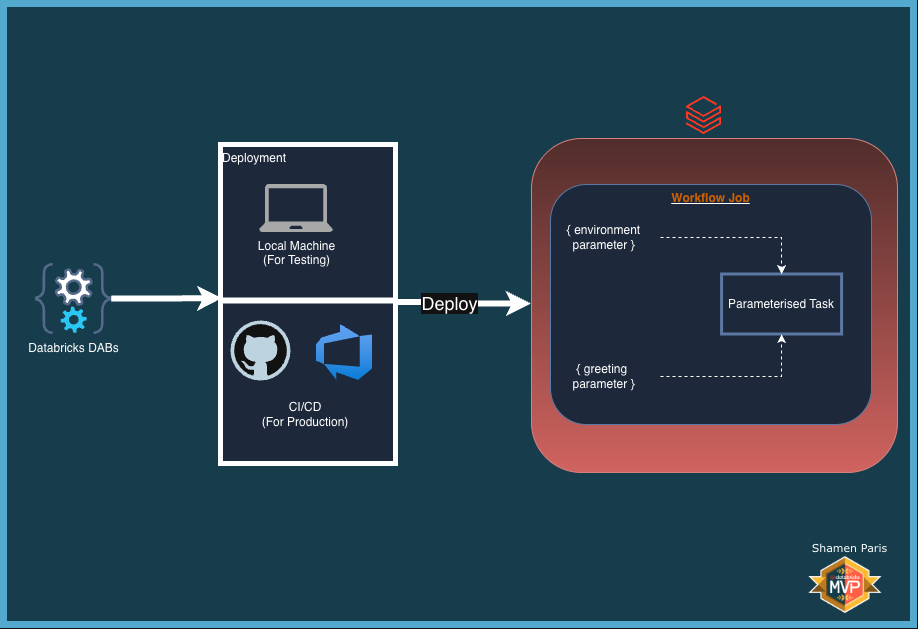
What Are We Building?
Prerequisites and Local Setup
Complete the Prerequisites and Local Setup before continuing.
Bundle Structure
databricks.yml— The master control file that usesinclude:to load external YAML files.resources/jobs/parameterized_job.yml— Contains the job definition and default parameter values.src/job_parameters.py— A PySpark script that usesargparseto accept command-line arguments.
How to Deploy and Run
Once authenticated, navigate to this folder (02-job-parameters) in your terminal.
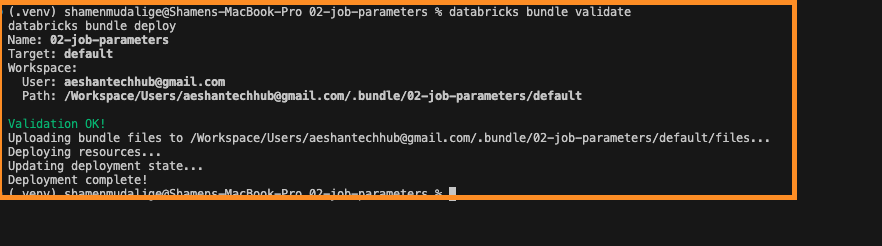
Step 1: Validate and deploy
databricks bundle validate
databricks bundle deploy
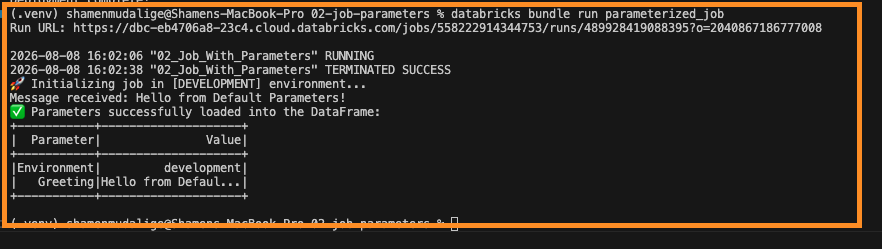
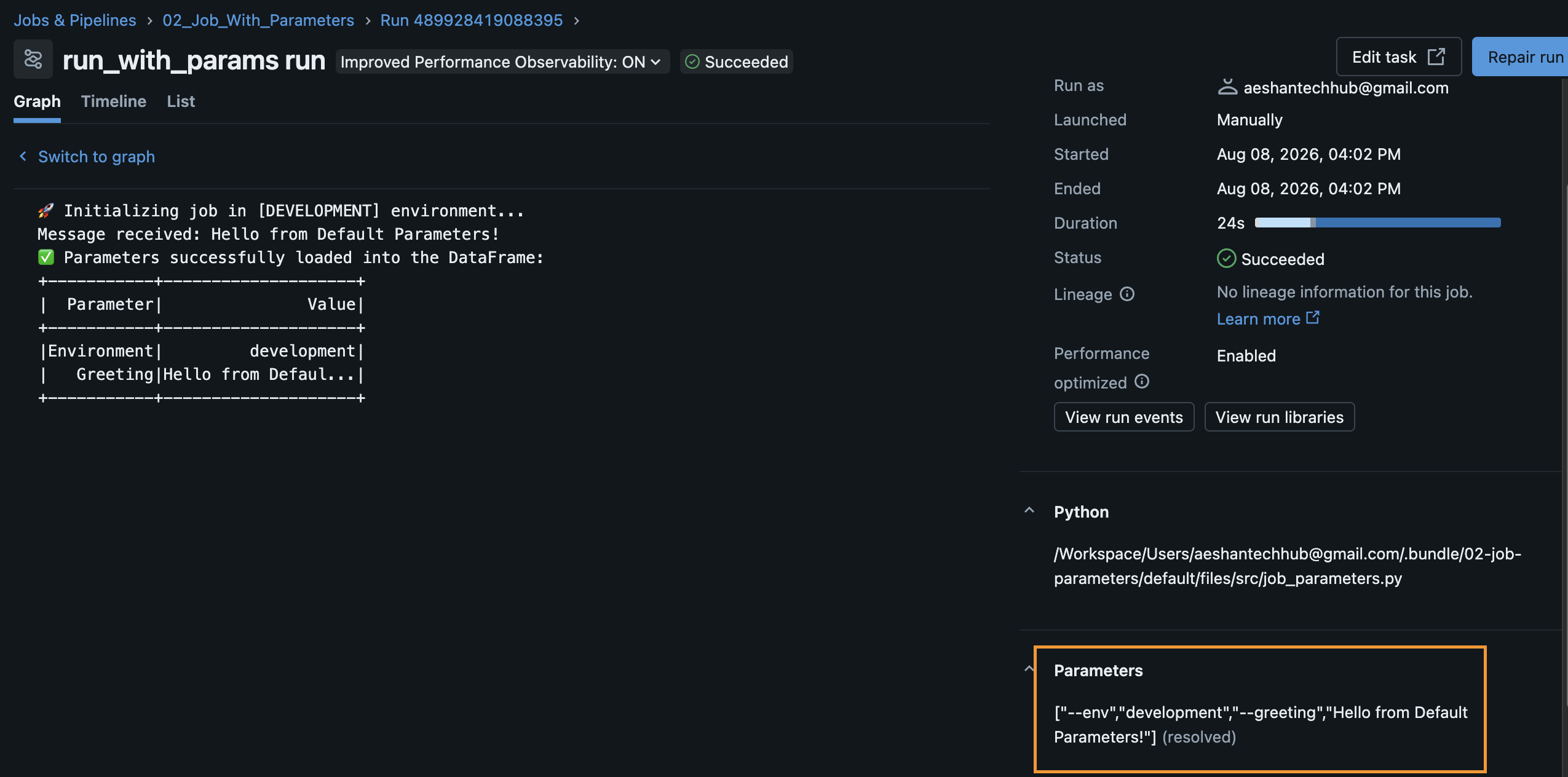
Step 2: Run the job with default parameters
This uses the default values defined in resources/jobs/parameterized_job.yml.
databricks bundle run parameterized_job
Step 3: Run the job with overridden parameters
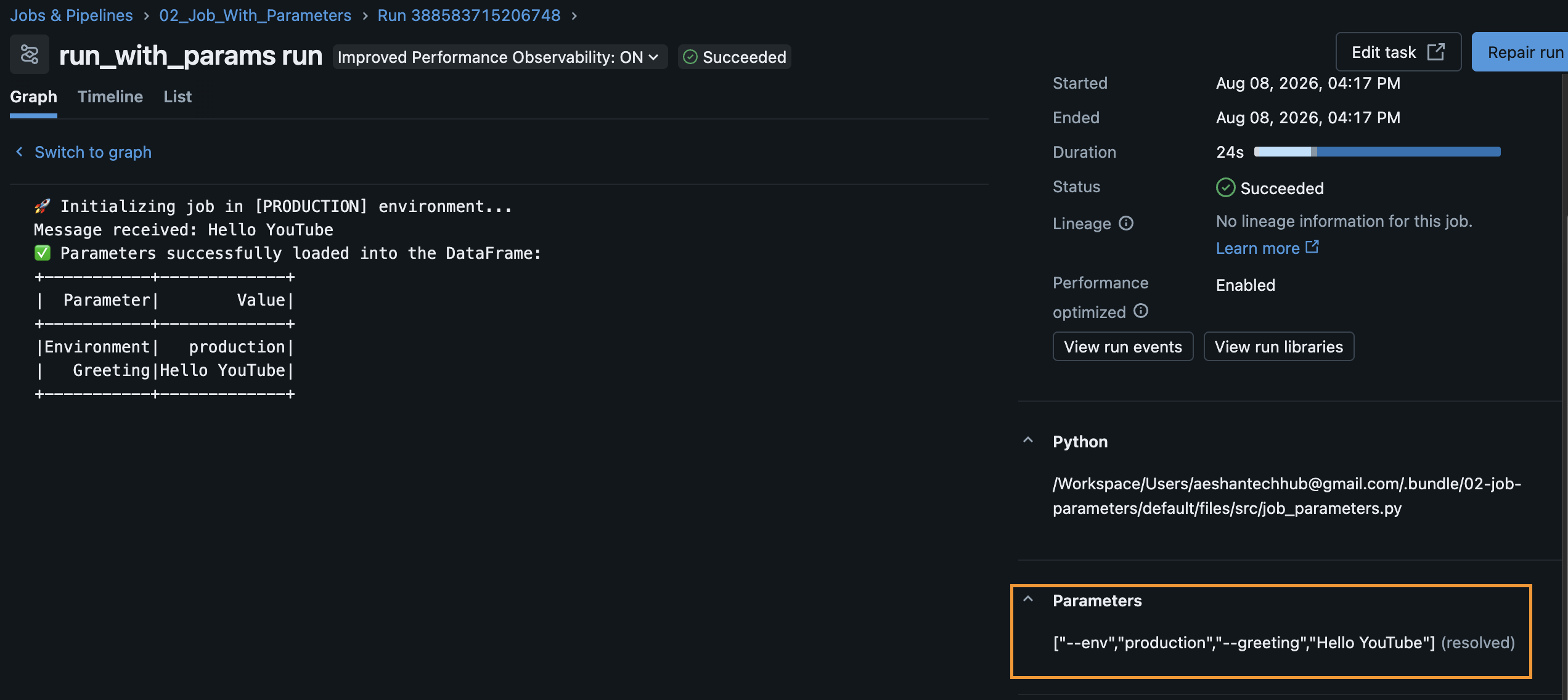
You can inject new values at runtime without changing any code.
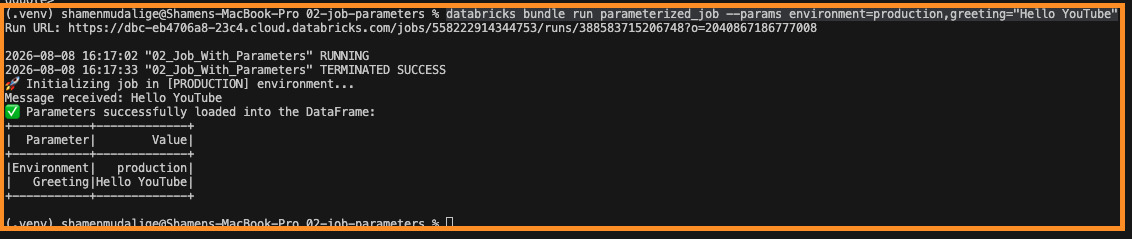
databricks bundle run parameterized_job --params environment=production,greeting="Hello YouTube"