10: SQL Alerts
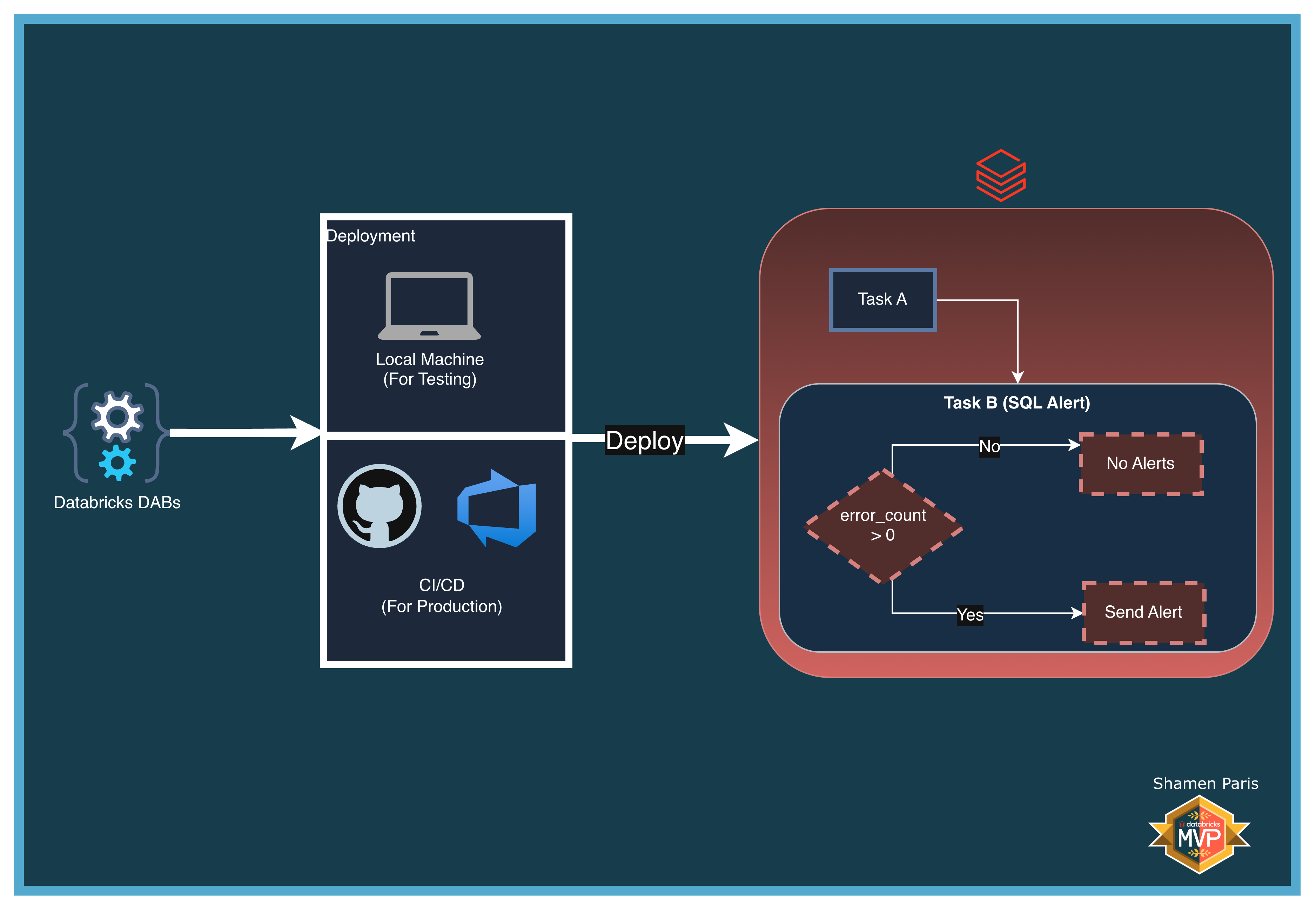
In this module, you will learn how to use Databricks Asset Bundles to provision multiple resource types in a single deployment. You will define a SQL Alert and a Databricks Workflow together, allowing the workflow to evaluate the alert immediately after data ingestion completes.
The two resources provisioned in this bundle are:
- A SQL Alert — Embeds a data quality query and evaluates it against a threshold.
- A Databricks Workflow — Orchestrates the pipeline and triggers the alert evaluation using the
alert_tasktype.
What Are We Building?
Prerequisites and Local Setup
Complete the Prerequisites and Local Setup before continuing.
Additional requirement: A SQL Warehouse named exactly Serverless Starter Warehouse must exist in your Databricks Workspace.
Bundle Structure
databricks.yml— Master control file using**/*.ymlto load all resource types, with dynamiclookupvariable resolution.resources/alerts/data_quality_alert.yml— Provisions the alert, embedding thequery_textand evaluation condition.resources/jobs/alert_job.yml— Orchestrates the setup notebook and usesalert_taskto trigger the alert evaluation.src/task_a_setup.py— Creates the target table and intentionally inserts an error record so the alert condition is met.
How to Deploy and Run
Once authenticated, navigate to this folder (10-run-sql-alerts) in your terminal.
Step 1: Validate and deploy
databricks bundle validate
databricks bundle deploy
Step 2: Run the job
databricks bundle run sql_alert_job
Step 3: Verify the output
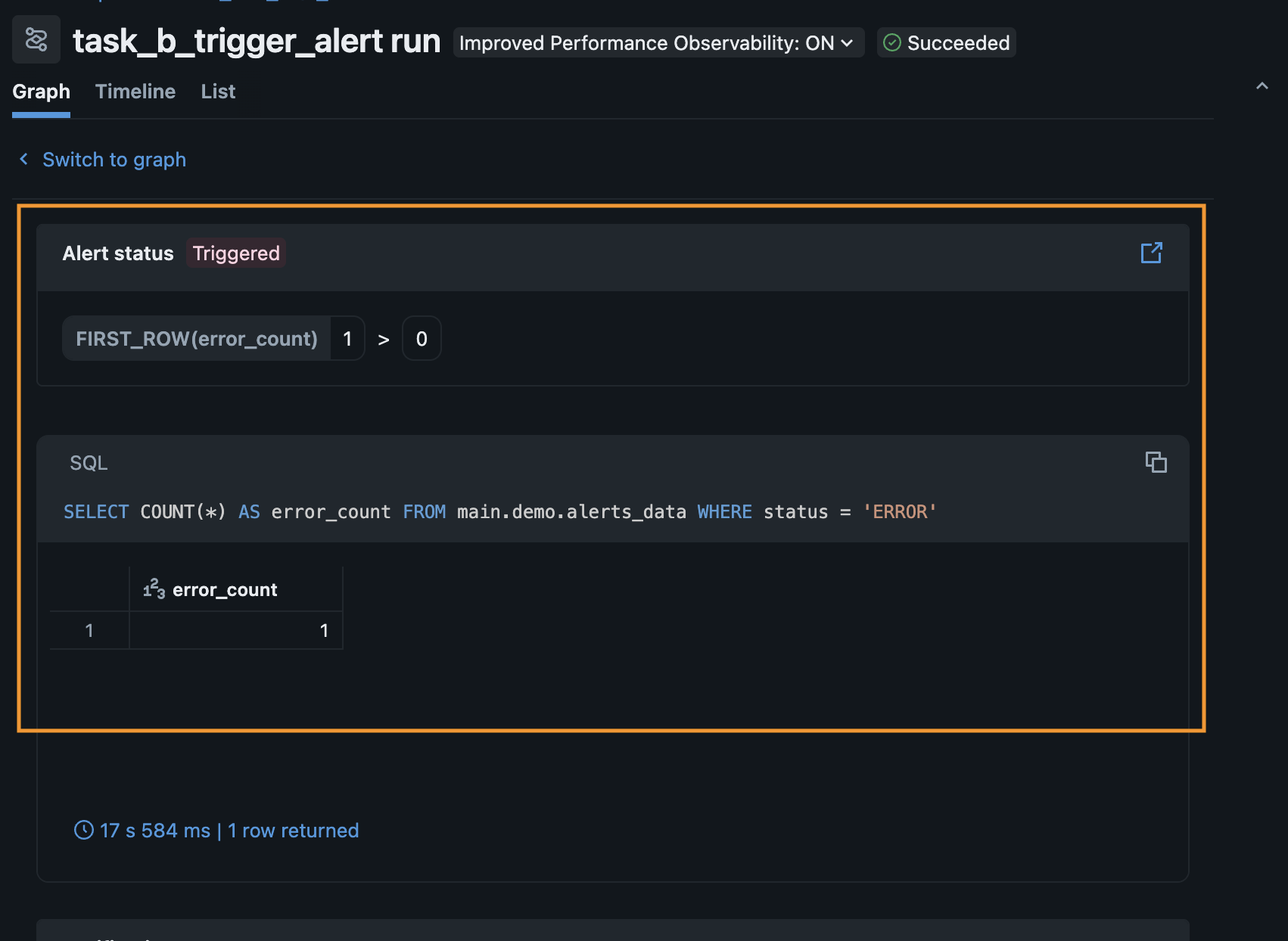
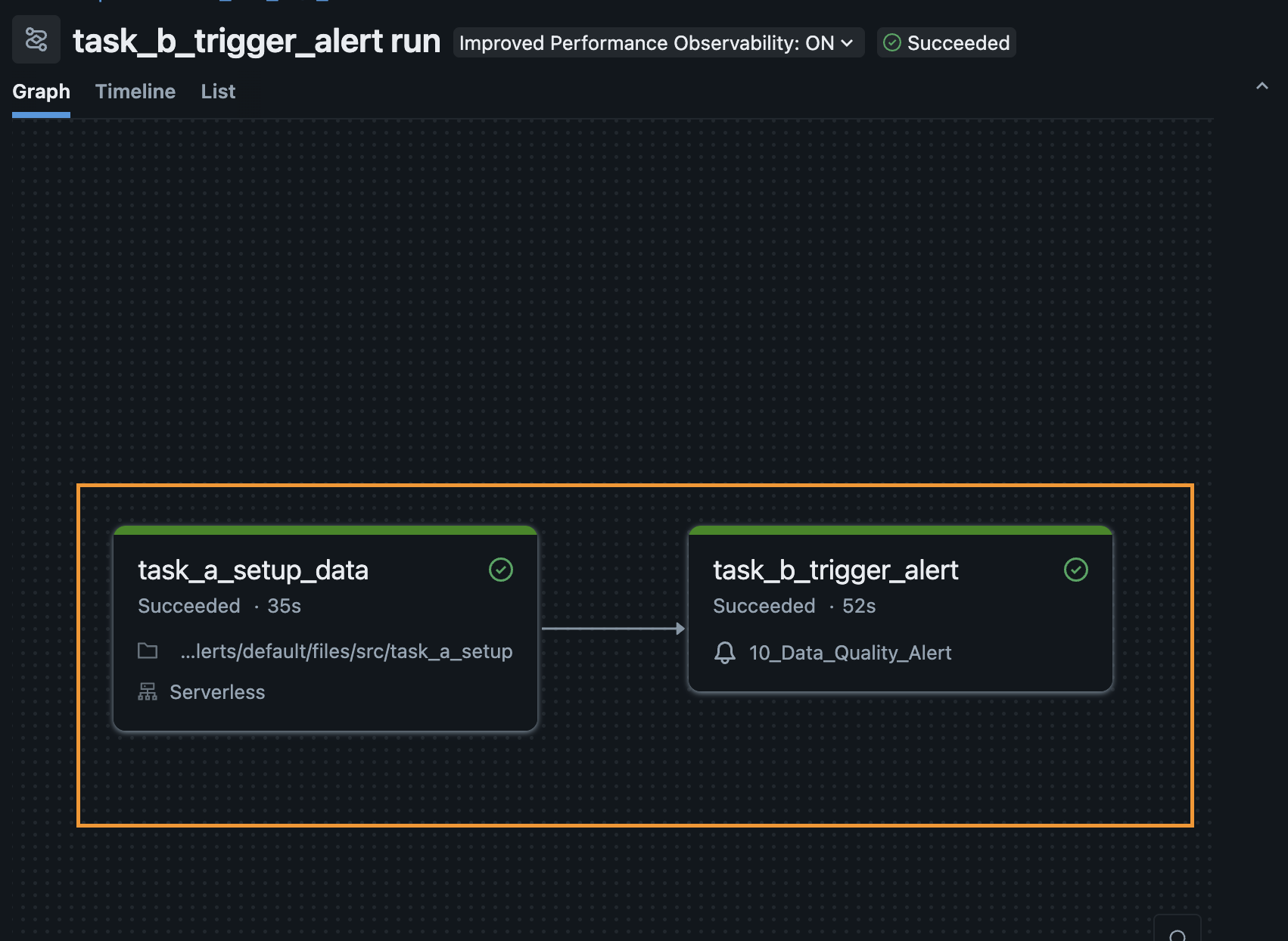
task_a_setup_data executes via the Python engine to generate the mock data. task_b_trigger_alert forces the SQL Alert to evaluate on the SQL Warehouse. Navigate to the Alerts tab in your workspace UI to confirm the alert has transitioned to a TRIGGERED state.