08: Conditional Execution with run_if
In production data engineering, pipelines will inevitably encounter failures. Rather than letting an entire workflow fail, you can define conditional branching to route execution based on the outcome of a previous task.
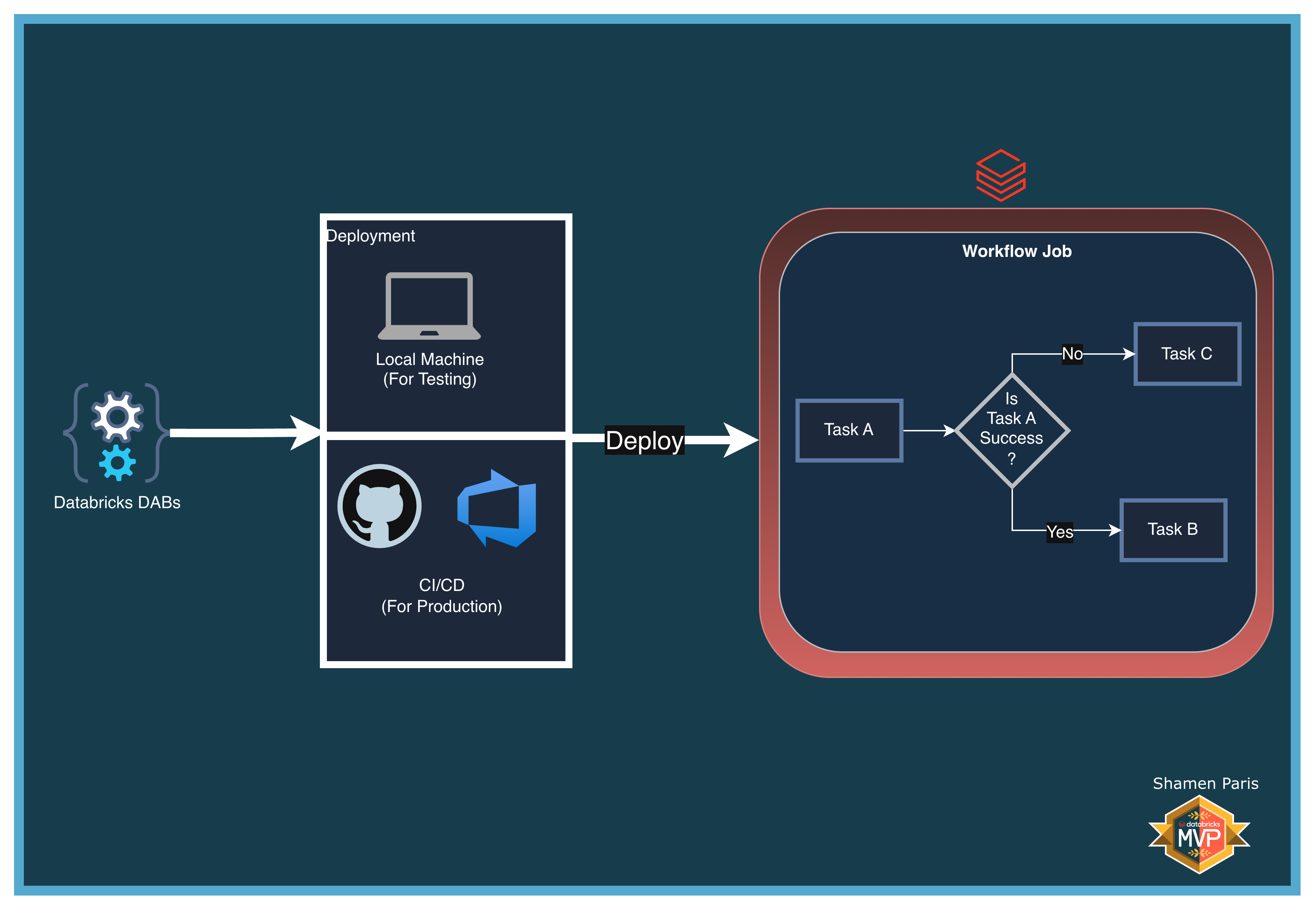
In this module, you will learn how to use the run_if parameter to implement success and failure paths within a single Databricks Workflow:
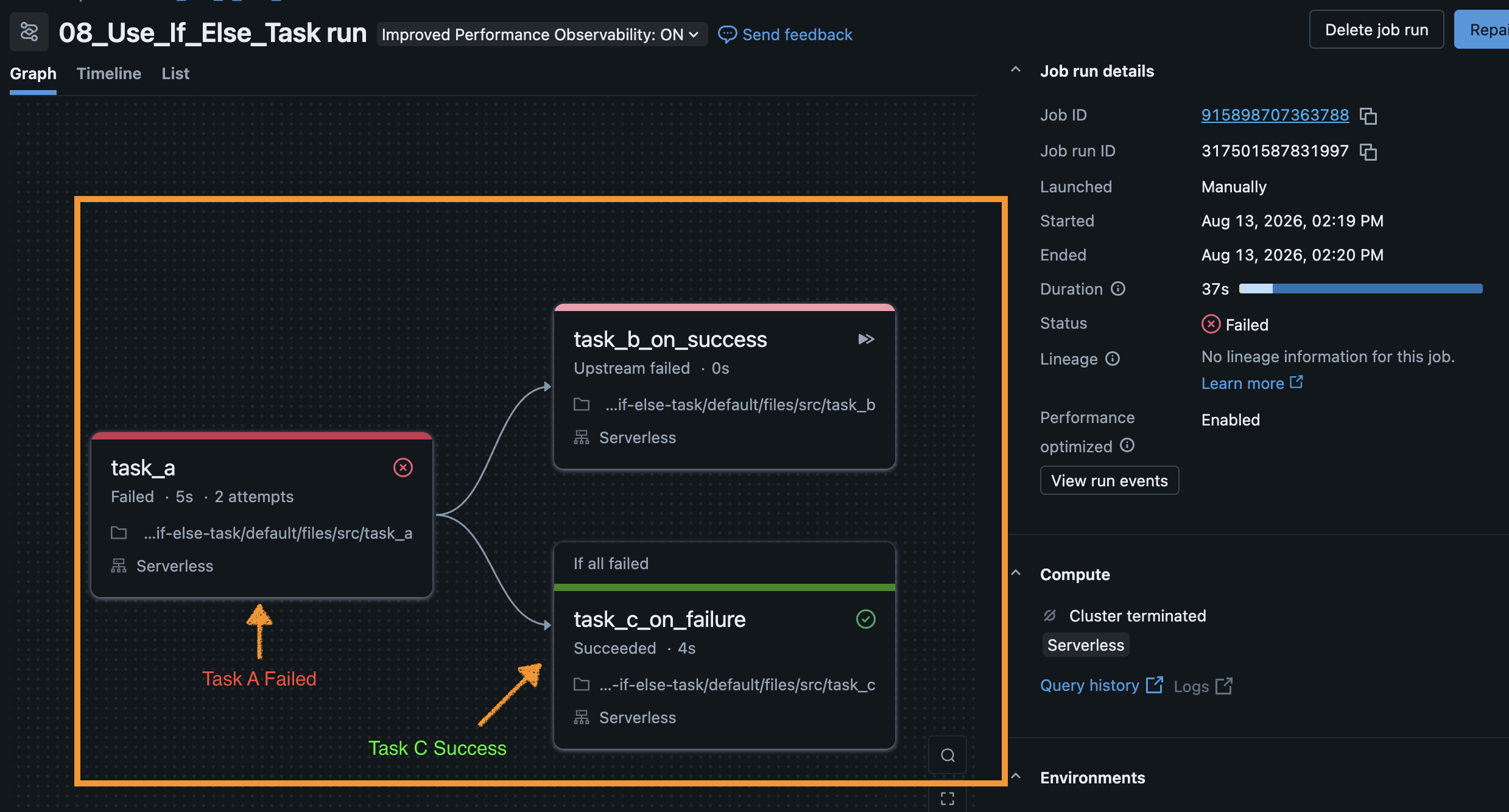
- Task A — The root evaluation task.
- Task B — Executes only if Task A succeeds (
run_if: ALL_SUCCESS). - Task C — Executes only if Task A fails (
run_if: ALL_FAILED).
What Are We Building?
Prerequisites and Local Setup
Complete the Prerequisites and Local Setup before continuing.
Bundle Structure
databricks.yml— Master control file.resources/jobs/if_else_job.yml— Defines the workflow withrun_ifconditions.src/task_a.py— Reads a parameter and either succeeds or raises an exception to simulate a failure.src/task_b.py— The success path notebook.src/task_c.py— The failure path and recovery notebook.
How to Deploy and Run
Once authenticated, navigate to this folder (08-use-if-else-task) in your terminal.
Step 1: Validate and deploy
databricks bundle validate
databricks bundle deploy
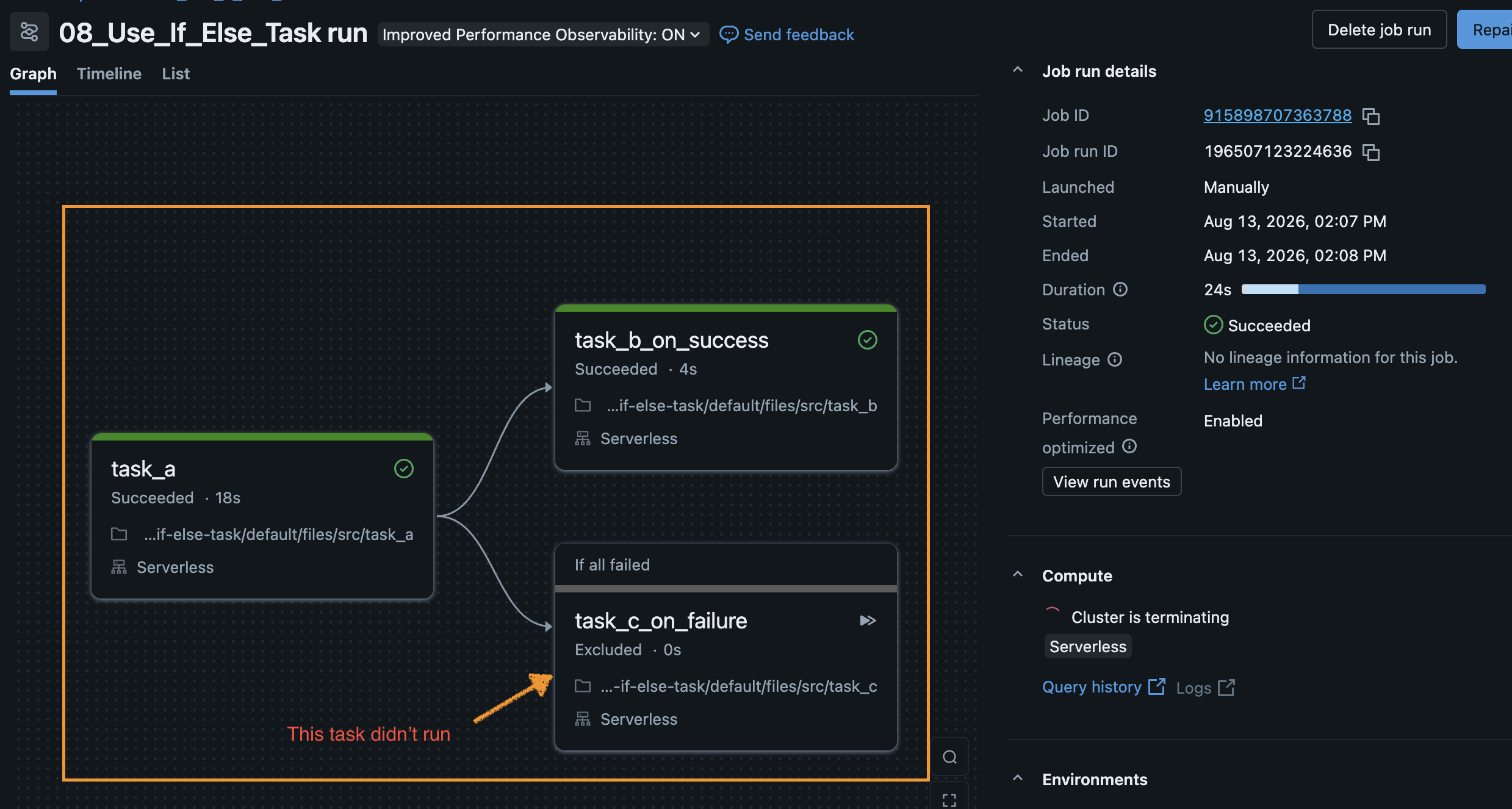
Step 2: Run the success path
Run the job with default parameters. Task A will succeed and route to Task B.
databricks bundle run if_else_job
Step 3: Run the failure path
Override the parameter to simulate a failure in Task A. The DAG will route to Task C instead.
databricks bundle run if_else_job --params simulate_failure=true