12: Create a Delta Live Tables Pipeline
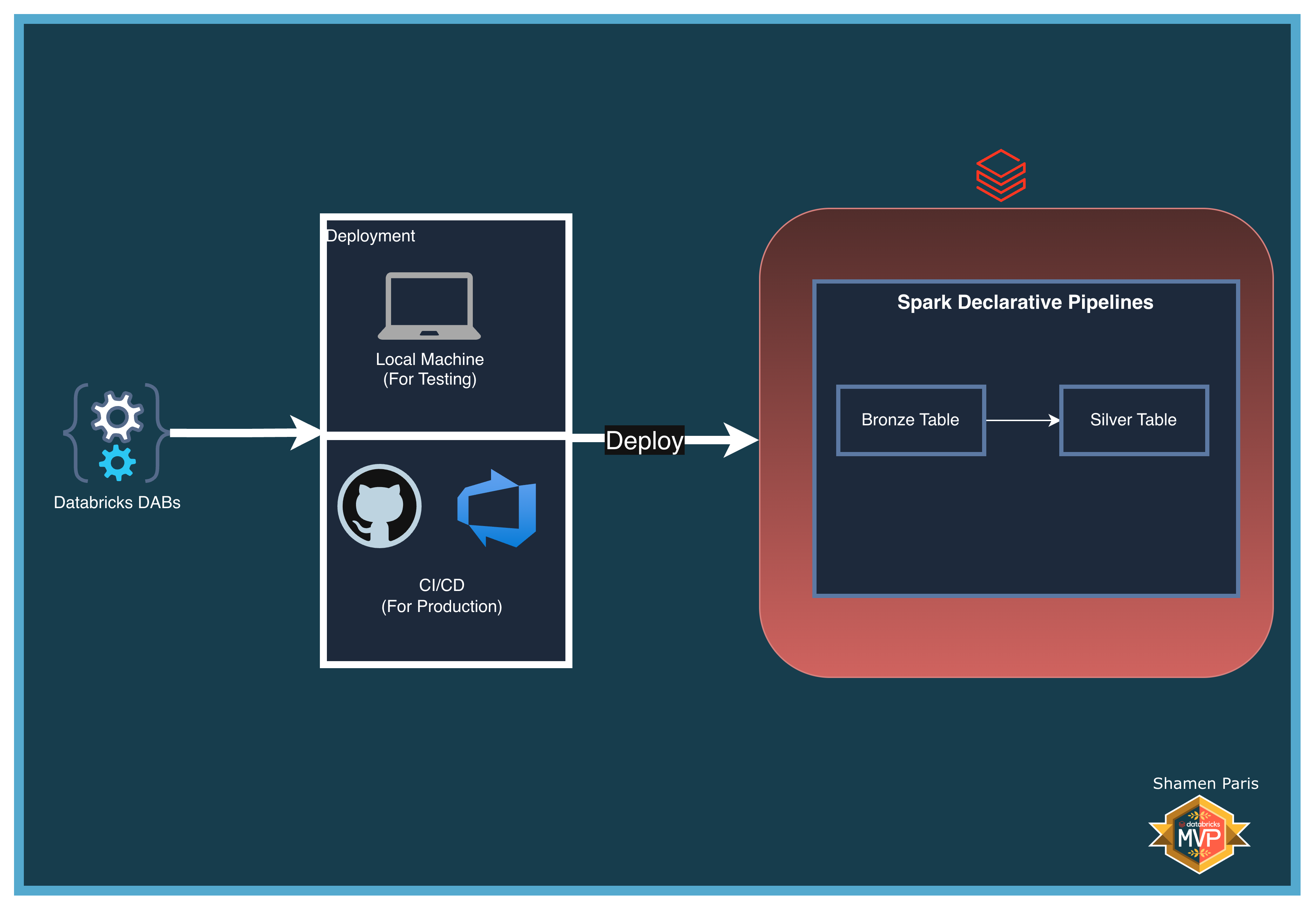
In this module, you will learn how to provision a Serverless Delta Live Tables (DLT) pipeline using Databricks Asset Bundles. DLT is a declarative framework where you define the desired state of your tables rather than explicitly sequencing tasks — Databricks automatically builds the execution graph and manages compute.
The pipeline in this module demonstrates a Bronze-to-Silver pattern: raw data is ingested into a Bronze table, then filtered into a Silver table containing only active records.
What Are We Building?
Prerequisites and Local Setup
Complete the Prerequisites and Local Setup before continuing.
Bundle Structure
databricks.yml— Master control file.resources/pipelines/dlt_pipeline.yml— Defines the pipeline configuration using serverless compute and targeting themain.democatalog and schema.src/dlt_pipeline_notebook.py— Uses thedltlibrary to declaratively define the Bronze and Silver tables.
How to Deploy and Run
Once authenticated, navigate to this folder (12-create-pipeline) in your terminal.
Step 1: Validate and deploy
databricks bundle validate
databricks bundle deploy
Step 2: Run the pipeline
Note: use demo_dlt_pipeline (the pipeline key), not a job key.
databricks bundle run demo_dlt_pipeline
Step 3: Verify the output
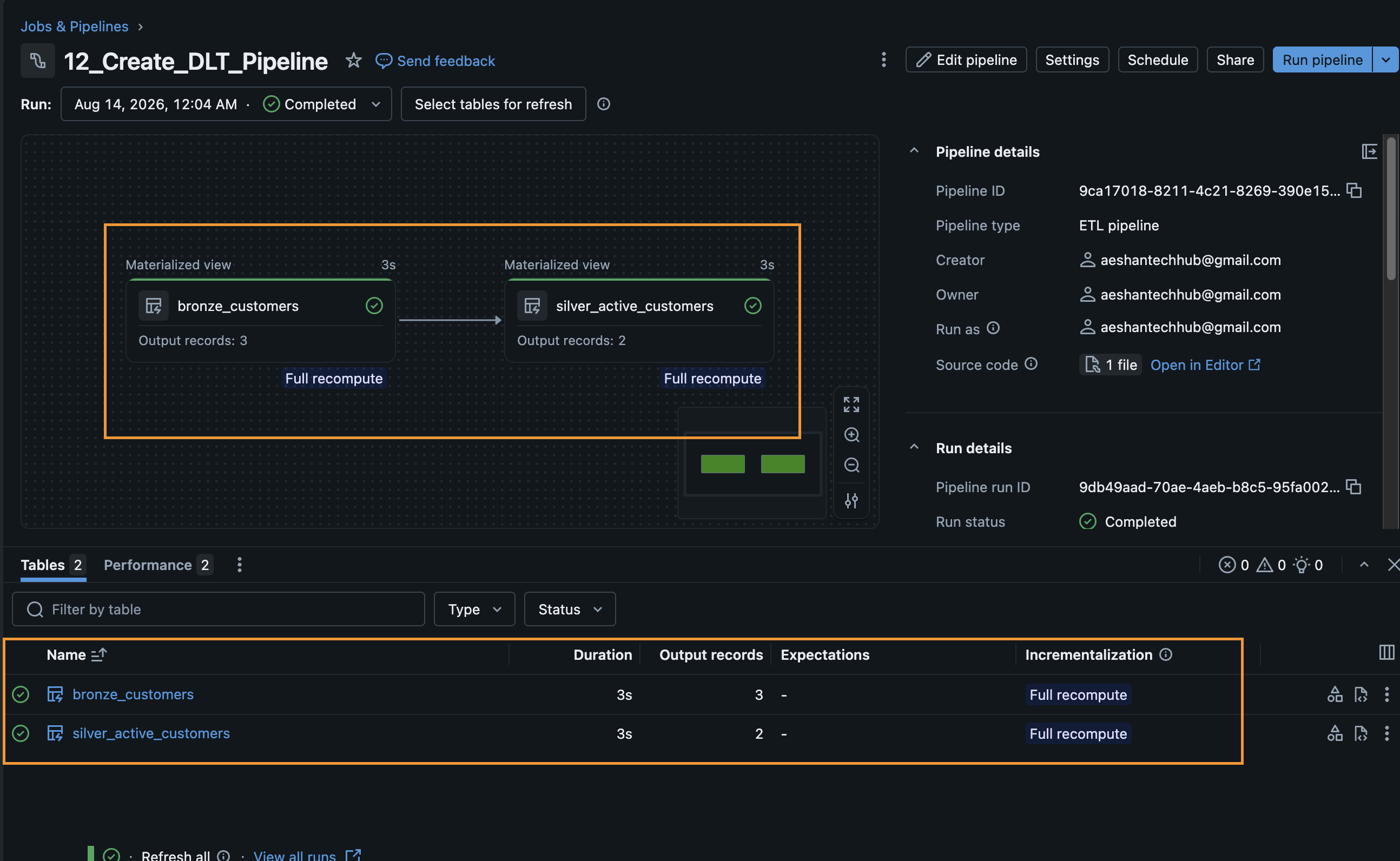
In the Databricks UI, navigate to the Delta Live Tables tab. You will see the pipeline DAG rendered visually, with bronze_customers flowing into silver_active_customers. You can also query main.demo.silver_active_customers directly in the SQL Editor.